



A gamepad mapping application (Keymapper) to bridge physical controllers with Android touchscreens. Supports true multi-touch injection (simultaneous analog + buttons without interference), 6 interaction types, and 3-path injection with automatic failover.

Install directly from AppGallery |

Download APK (v2.1.4) |
Download:
app-release.apk— Production build (signed, optimized, ~2 MB)app-debug.apk— Debug build (for testing, ~10 MB)
Requirements:
- Android 12+ (API 31)
- Shizuku v13+ (download here)
- Bluetooth/USB Gamepad
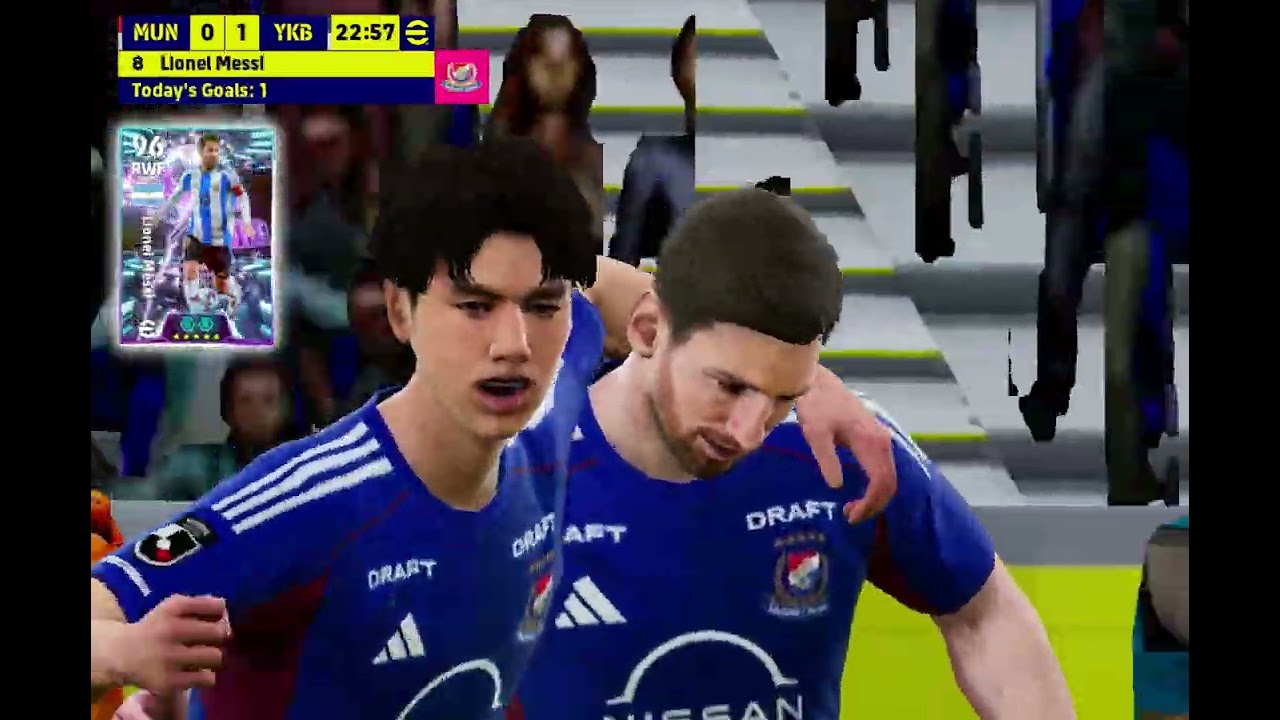
▶️ Click the thumbnail above to watch the demo on YouTube — Full game test showing multi-pointer touch injection (analog + button simultaneous), combo without delay, and BTN_GAMEPAD compatibility fix.

- Multi-pointer touch injection — simultaneous analog stick and button actions without mutual interference (proper
ACTION_POINTER_DOWN/UP) - Dual AIDL dispatch thread — dedicated threads for stick (high priority + coalescing) and button (normal priority) to eliminate combo delays
- 3-path touch injection (
IInputManagerAIDL →InputManagerclass → shell fallback) with automatic retry (never locks permanently to Path C) - Installed Games browser — launch games directly from the app + auto-create profiles
- Test Injection button — verify touch injection works without a gamepad
- Flexible trigger system — "Learn Trigger" captures any gamepad button via raw evdev (including non-standard
BTN_GAMEPAD/BTN_TL2/BTN_TR2) - 6 interaction types: Hold, Tap, Turbo (auto-fire), Toggle (lock), Charge (hold-release), Gesture (multi-point path)
- Chord triggers — combine multiple buttons (e.g., LB + RB = special action)
- Macro trigger — assign recorded macros to any button
- Stick-as-drag mode — analog stick moves touch absolutely (mortar/sniper aim)
- Radial deadzone on raw input — instant release when stick returns to center (no sticking)
- Visual interaction indicators — canvas displays ⚡ turbo, ⊕ toggle, ⏱ charge, ~ gesture badges
- Multi-gamepad support (up to 4 controllers for couch co-op)
- Sensitivity curve editor (linear, exponential, parabolic, concave, custom)
- Haptic feedback integration
- Profile persistence (encrypted with AES-256-GCM)
- WYSIWYG visual editor with live gamepad feedback
- Macro recorder
- Orientation-aware (landscape + portrait)
- On-screen diagnostic log — display raw evdev axis/button names, injection failures, and unmapped button codes directly in the app (no
adb logcatrequired)
- eFootball
- Genshin Impact
- PUBG Mobile
- Mobile Legends
- COD Mobile
- Free Fire
- Android 12+ (API 31) — minimum supported version
- Shizuku v13+ (https://shizuku.rikka.app/)
- Bluetooth/USB Gamepad (Xbox, PlayStation, 8BitDo, generic)
- Install Shizuku from Google Play Store or GitHub releases.
- Enable Developer Options in Android Settings.
- Start Shizuku via ADB wireless debugging:
adb shell sh /storage/emulated/0/Android/data/moe.shizuku.privileged.api/start.sh - Open GameMapperMind and grant permission to Shizuku.
- Open the app → "Orchestration Control" tab → tap "Start Daemon".
- Tap the "Test Injection" button — verify that touch appears at screen center.
- Select a game in the "Installed Games" tab → tap Play to launch.
- Or create your own profile in the "Profile Manager" tab → drag buttons on the WYSIWYG canvas.
- Start playing your game — the physical gamepad will control the game via touch injection.
Each overlay node can be configured with a different interaction type:
| Type | Description | Use Case |
|---|---|---|
| Hold | Press = touchDown, release = touchUp (default) | Regular buttons (Pass, Shoot) |
| Tap | Single quick tap on press | Menu, pause |
| Turbo | Auto-repeat tap every N ms while held | Auto-fire (RT = 20 taps/sec) |
| Toggle | Press once = touch stays, press again = release | Auto-run, ADS toggle |
| Charge | Hold N ms, release to trigger | Charged jump, power shot |
| Gesture | Multi-point touch path with delays | Skill combo, drawing gesture |
| Macro | Trigger recorded macro sequence | Complex combo (5-tap sequence) |
- Tap "Learn Single" → press any gamepad button → assigned as trigger
- Tap "Learn Chord" → press multiple buttons sequentially → tap "Done" → all must be pressed together
- Supports non-standard buttons (paddles, extra buttons) via raw evdev detection
- Joystick (default): touch stays within radius of center, stick deflects cap
- Drag: touch moves absolutely across screen — for mortar/sniper aim
Canvas displays a badge for each interaction type:
- ⚡ = Turbo | ⊕ = Toggle | ⏱ = Charge | ~ = Gesture | ▸ = Tap | M = Macro | DRAG = Stick drag mode
App uses 3-path injection with automatic failover and never permanently locks to Path C (always retries A → B → C on each call):
| Path | Method | Reliability | Latency | Multi-touch |
|---|---|---|---|---|
| A (primary) | IInputManager AIDL via ServiceManager | Highest — same path as input binary |
<1ms | Full (multi-pointer) |
| B (fallback) | InputManager class via getSystemService + reflection | High | <1ms | Full (multi-pointer) |
| C (last resort) | input tap shell command |
Guaranteed | ~100ms | Single-tap only (does not fire when other pointers are active) |
Touch injection uses proper Android multi-touch semantics:
- First pointer DOWN:
ACTION_DOWN,pointerCount=1 - Additional pointer DOWN while others are active:
ACTION_POINTER_DOWN,pointerCount=ALL active pointers - Pointer UP while others remain active:
ACTION_POINTER_UP(notACTION_UP) actionIndexset to the index of the pointer that changed in the properties arraydownTimeshared from the initial gesture across all pointers in the same session
This ensures analog stick and button presses can be active simultaneously without cancelling each other — when L_STICK is active and button A is pressed, Android receives ACTION_POINTER_DOWN with both pointers, rather than a new ACTION_DOWN that interrupts the active stick session.
Touch calls are dispatched to two separate threads:
stickAidlHandler(Thread.MAX_PRIORITY) — dedicated to analogtouchDown/touchMove/touchUp. Includes coalescing: only the most recenttouchMoveper pointer is dispatched; older moves in the queue are dropped (caps latency at ~10ms regardless ofgeteventsampling rate).buttonAidlHandler(Thread.NORM_PRIORITY) — dedicated to buttontouchDown/touchUp/injectTap.
Both run in parallel — Android's InputManager receives concurrent injectInputEvent calls for distinct pointer IDs. Button presses never delay analog stick movement.
Shizuku runs as shell uid (2000), which:
- Bypasses hidden API restrictions
- Holds
INJECT_EVENTSpermission
The app automatically detects controller layouts via getevent -lp and normalizes axis values based on their real hardware ranges (rather than hardcoding 0..255 or -32768..32767). Supported evdev mappings:
| Logical Button | evdev Codes | Notes |
|---|---|---|
| A | BTN_GAMEPAD, BTN_A, BTN_SOUTH |
BTN_GAMEPAD = BTN_A = 0x130 in Linux kernel |
| B | BTN_B, BTN_EAST |
|
| X | BTN_X, BTN_NORTH |
|
| Y | BTN_Y, BTN_WEST |
|
| LT | BTN_TL2, BTN_LT, or analog axis (ABS_Z/ABS_BRAKE/ABS_LTRIGGER) |
Digital + analog triggers supported |
| RT | BTN_TR2, BTN_RT, or analog axis (ABS_RZ/ABS_GAS/ABS_RTRIGGER) |
Digital + analog triggers supported |
| LB / RB | BTN_TL/BTN_L1, BTN_TR/BTN_R1 |
|
| L3 / R3 | BTN_THUMBL/BTN_THUMB, BTN_THUMBR/BTN_THUMB2 |
|
| D-Pad | ABS_HAT0X/ABS_HAT0Y (analog hat) or BTN_DPAD_* (discrete) |
|
| START / SELECT / HOME | BTN_START, BTN_SELECT, BTN_MODE |
Right stick auto-detect: if the controller does not expose ABS_RX/ABS_RY, the app automatically falls back to ABS_Z/ABS_RZ for the right stick (common on generic Bluetooth gamepads).
- Gamepad not detected: Ensure the gamepad is connected via Bluetooth/OTG and recognized by Android. Check the "Sensor & Input Diagnostics" tab. Inspect the on-screen log for
[GAMEPAD-DETECT] axes: ... | buttons: ...showing detected axes and buttons. - Specific button does not respond: Check on-screen logs for
[GAMEPAD-KEY] Unmapped button BTN_XXX— your controller uses a non-standard code. Report this in an Issue so we can add the mapping. - Touch is unresponsive: Run "Test Injection" in the Shizuku tab. The log will indicate which path is active (A/B/C) and show recommendations if any path is failing. Ensure
Injection OK via Path Aappears. - Analog returns to center when a button is pressed: Resolved with proper multi-pointer
MotionEventsemantics. Make sure your app version is up-to-date. - Analog feels stuttery or sticks downwards: Resolved via radial deadzone on raw input plus stick movement coalescing.
- Shizuku stops after device reboot: Shizuku service needs to be restarted via ADB on reboot for non-rooted devices.
- Analog stick does not move at all: If the app falls back to Path C (shell fallback) while other pointers are active, analog will not work. Path C is strictly for single-pointer DOWN/UP. Ensure Path A or B is active (check
Using Path Ain logs).
Q: Does this require ROOT? A: No, the app operates via Shizuku privilege access (shell UID via ADB wireless debugging).
Q: Is this safe from bans?
A: The app generates TOOL_TYPE_FINGER touches with TOUCHSCREEN source (not MOUSE). An optional anti-ban mode (Gaussian offset) is available. Use at your own risk.
Q: Does it support Xbox and PlayStation controllers?
A: Yes, all standard Android gamepad mappings are supported. Xbox Bluetooth LT/RT triggers are handled via AXIS_LTRIGGER/RTRIGGER fallback. Generic Bluetooth gamepads (BTN_GAMEPAD, BTN_TL2/BTN_TR2) are also supported.
Q: Can I play couch multiplayer? A: Yes, supports up to 4 simultaneous controllers. Configure Player (1–4) settings on individual button nodes.
Q: Why can analog and buttons be active simultaneously without conflict?
A: The engine uses proper Android multi-touch MotionEvent semantics (ACTION_POINTER_DOWN/ACTION_POINTER_UP containing all active pointers in a single event), preventing new ACTION_DOWN events from interrupting active stick gestures.
Complete version history and detailed release notes are available in CHANGELOG.md.
Recent Highlights (v2.1.x)
- Multi-Pointer MotionEvent: Native multi-pointer event handling prevents analog stick interruption during simultaneous button actions.
- Dual AIDL Dispatch: Separate prioritized threads for stick (
MAX_PRIORITY+ coalescing) and buttons (NORM_PRIORITY) eliminate combo delay. - Universal Gamepad Support: Kernel-level evdev code mapping (
BTN_GAMEPAD,BTN_TL2/TR2, analog triggers) with automatic axis normalization. - Non-locking 3-Path Injection: Continuous retry across AIDL, InputManager reflection, and shell fallback.
We welcome Pull Requests and open-source contributions.
- Open an Issue before submitting large PRs.
- Every release must increment
versionCodeinandroid/app/build.gradle - Run
npm run lintandnpm testbefore committing.
Apache-2.0
This application is not affiliated with any supported games. Use responsibly. Risk of bans is assumed by the user.